Our RedM Scripts

ProjectLS Fight Club – Tournaments, Betting & Competitive Fighting
Bring organized underground fighting, competitive tournaments, live betting, and immersive roleplay events to your RedM server with ProjectLS Fight Club.
ProjectLS Fight Club is a complete event system designed for servers that want more than basic fist fights. Players can register for scheduled tournaments, pay a configurable entry fee, compete through a structured bracket, place bets on fighters, and fight for the final prize.
Whether you are running a legal boxing venue, an underground fight club, a travelling tournament, or server-wide special events, the entire system is configurable to fit your server.
Main Features
Tournament System
- Configurable tournament entry fees
- Configurable maximum fighter count
- Automatic tournament brackets
- Fighters automatically advance after winning
- Character names displayed throughout the event
- Register and deregister directly through the Fight Club HUD
- Offline registrations can be automatically removed
- Configurable tournament schedules
- Tournament information saved through the database
- Large on-screen countdown before each fight
- Automatic winner detection
- Final tournament winner announcement
- Configurable tournament prize
Fighter Betting
Spectators can place bets directly on registered fighters.
- Select the fighter you believe will win
- Configurable betting limits
- Automatic payouts for winning bets
- Bets are linked to the active tournament
- Betting information displayed through the Fight Club interface
Fight Ring System
- Configurable fight ring location
- Fighter ready zones
- Fighters are automatically positioned for each match
- Weapons are disabled inside the ring
- Fights remain focused on melee combat
- Players outside the active match cannot interfere
- Automatic knockout detection
- Knocked-out fighters remain down for a configurable duration
- Fighters are revived outside the ring after elimination
- Configurable health after revival
Spectator Interaction
Spectators are not forced to simply stand and watch.
- Throw bottles toward the ring
- Aim before throwing
- Configurable cooldown to prevent spam
- Tournament announcements and fight information
- Immersive crowd interaction for roleplay events
Promoter and Venue Features
- Configurable Fight Club promoter NPC
- Optional map blip
- Configurable registration locations
- Configurable betting locations
- Configurable ring and spectator areas
- Scene text and venue information
- Fight bell and event sound support
- Suitable for permanent venues or temporary server events
ProjectLS Interface
The script includes a custom ProjectLS-themed interface designed for easy tournament management.
- Modern Fight Club HUD
- Fighter registration list
- Tournament bracket display
- Betting menu
- Current fight information
- Entry fee and prize information
- Mouse and keyboard navigation
- Easy-to-understand event controls
Configuration
ProjectLS Fight Club has been designed to be highly configurable.
Server owners can configure:
- Tournament locations
- Ring boundaries
- Promoter NPC model
- Entry prices
- Tournament rewards
- Fighter limits
- Betting amounts
- Tournament schedules
- Knockout timers
- Bottle throwing
- Sounds
- Blips
- Ready zones
- Revival locations
- Database settings
- Notification settings
Framework and Dependencies
Designed for RedM servers using:
- VORP Core
- VORP Inventory
- oxmysql
- ox_target
- ox_lib
Additional dependencies may be listed in the included installation guide.
Installation
- Place the resource inside your server resources folder.
- Import the included SQL file into your database.
- Configure the Fight Club locations and settings.
- Add the resource to your server configuration.
- Restart the server and begin hosting tournaments.
Full configuration instructions are included.
Perfect For
- Underground fight clubs
- Legal boxing venues
- Saloon fighting events
- Gang tournaments
- Server-wide competitions
- Weekly roleplay events
- Player-run entertainment businesses
- Community betting nights
Support
Support is available for installation issues and confirmed script bugs.
Custom framework conversions, major feature changes, and third-party resource modifications may require an additional development service.
Turn ordinary fist fights into fully organized server events with ProjectLS Fight Club.
Register fighters.
Build the bracket.
Place your bets.
Enter the ring.
Become the champion.
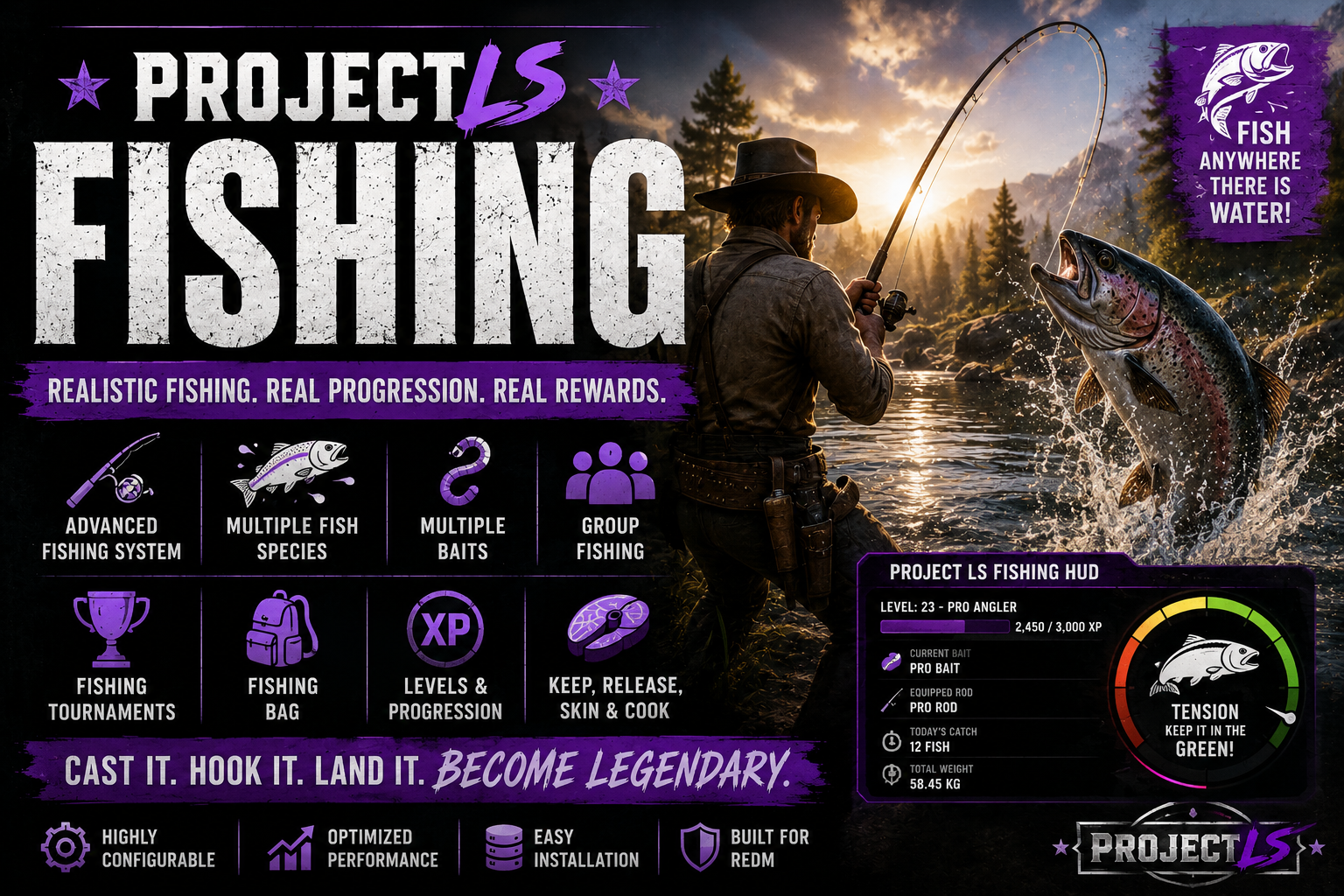
ProjectLS Fishing
Transform fishing into one of the most immersive professions on your RedM server.
ProjectLS Fishing is a complete progression-based fishing system featuring realistic fishing mechanics, multiple bait types, fish species, tournaments, group fishing, XP progression, cinematic catch sequences, and a modern ProjectLS interface.
Whether your players want to relax by the river, compete in tournaments, or become legendary anglers, this script provides hours of engaging gameplay.
Features
Advanced Fishing System
- Fish anywhere there is water
- Smooth casting mechanics
- Interactive fishing minigame
- Reel tension system
- Fish fatigue mechanics
- Strike and hook system
- Configurable catch difficulty
- Multiple fishing rod support
- Multiple bait types
- Water detection
- Realistic catch chances
Progression System
Players level up through experience gained while fishing.
Example progression includes:
- New Fisher
- River Fisher
- Pro Angler
- Deep Water Hunter
- Legendary Fisher
Unlock larger fish, better rewards, and advanced bait as your skills improve.
Fish Variety
Support for unlimited fish species.
Examples include:
- Small River Fish
- Bass
- Trout
- Salmon
- Catfish
- Gar
- Muskie
- Sturgeon
- Legendary Fish
Large catches become increasingly difficult to land.
Bait System
Configure unlimited bait types.
Examples:
- Basic Bait
- River Bait
- Pro Bait
- Deep Water Bait
Each bait can affect:
- Fish rarity
- Catch speed
- Fish size
- Bite chance
- Water compatibility
Group Fishing
Players can create fishing groups.
Features include:
- Invite friends
- Password protected groups
- Shared fishing sessions
- Group HUD
- Group XP bonuses
- Live member tracking
- Combined catch statistics
- Cooperative gameplay
Fishing Tournaments
Host server-wide fishing competitions.
- Automatic tournaments
- Entry fees
- Prize pools
- Live leaderboard
- Biggest fish competitions
- Total weight competitions
- Timed events
- Automatic winner announcements
Perfect for weekly server events.
Fish Handling
After every successful catch players can choose to:
- Keep Fish
- Release Fish
- Skin Fish
- Cook Fish
Perfect for economy and survival roleplay.
Fishing Bag
Dedicated Fishing Bag inventory.
Players can safely store:
- Fishing rods
- Bait
- Fishing supplies
- Equipment
Keeps fishing gear separate from normal inventory.
Immersive Gameplay
- Floating bait markers
- Animated fishing line
- Smooth reeling
- Water splash effects
- Fish struggle mechanics
- Bite indicators
- Custom animations
- Configurable sounds
- Immersive notifications
Fishing feels alive rather than being a simple progress bar.
Modern ProjectLS Interface
Includes a fully custom HUD.
Displays:
- Player level
- XP progress
- Current bait
- Equipped rod
- Tournament status
- Group information
- Fish caught
- Fishing statistics
Designed to match the ProjectLS UI style.
Fully Configurable
Nearly every aspect can be customized.
Configure:
- Fish species
- XP rewards
- Money rewards
- Bait types
- Rods
- Catch rates
- Fish sizes
- Tournament settings
- Group bonuses
- Sounds
- Animations
- Notifications
- Water requirements
- Progression levels
Framework Support
Designed for:
- VORP Core
- VORP Inventory
- oxmysql
- ox_target
- ox_lib
Easy installation with included SQL and configuration files.
Perfect For
- Survival Servers
- Economy Servers
- Serious Roleplay
- Casual Roleplay
- Wilderness Adventures
- Hunting & Fishing Communities
- Player Businesses
- Weekly Community Events
Why Choose ProjectLS Fishing?
Unlike simple fishing scripts, ProjectLS Fishing provides an engaging profession that players can spend weeks mastering.
✔ Advanced Fishing Minigame
✔ Progression & Levels
✔ Group Fishing
✔ Fishing Tournaments
✔ Modern HUD
✔ Fishing Bag
✔ XP & Rewards
✔ Unlimited Fish & Bait Support
✔ Highly Optimized
✔ Easy Configuration
✔ Regular Updates
Become the greatest angler in the frontier.
Cast your line.
Hook the catch.
Land legendary fish.
Rise through the ranks.
Only with ProjectLS Fishing.

ProjectLS Builder
Advanced In-Game Prop Placement System for RedM (VORP)
Create, edit, and manage world props directly in-game with a powerful and easy-to-use building system designed specifically for RedM roleplay servers.
ProjectLS Builder allows players or admins to place objects anywhere in the world using an intuitive placement interface with live previews, editing tools, and database persistence.
Perfect for building camps, towns, decorations, roleplay scenes, and server custom environments without restarting your server.
 Features
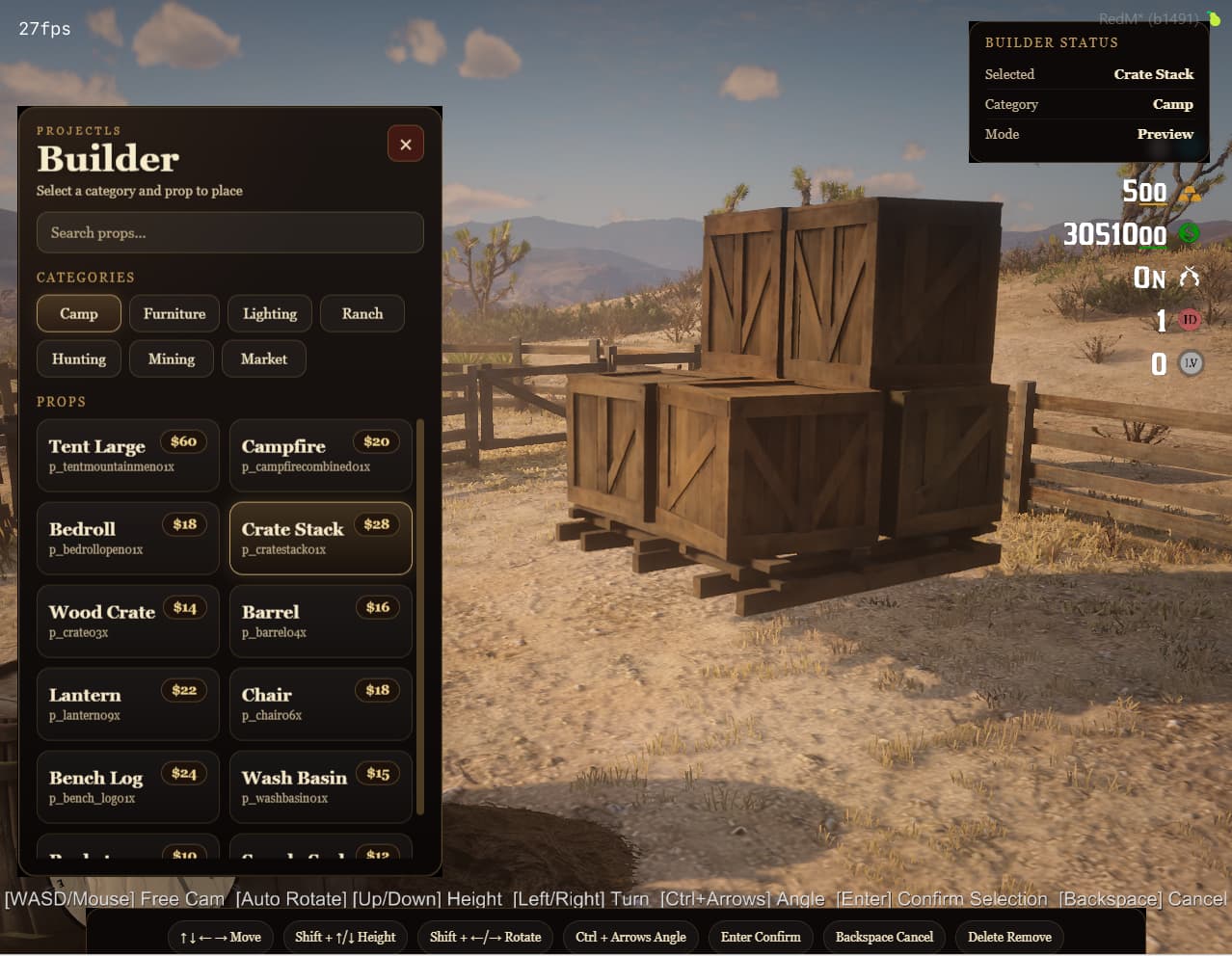
 In-Game Prop Builder
Place props anywhere in the world using a smooth in-game builder system with full camera control.
 Live Prop Preview
Preview props before placing them with rotation, height adjustment, and movement controls.
 Purchase System
Props can be configured with prices so players must purchase props using in-game currency.
 Edit Existing Props
Edit props after placing them:
- Move
- Rotate
- Adjust height
- Save new positions
 Delete System
Safely remove placed props using edit mode
 Database Persistence
All props are saved to the database and automatically reload when:
- the resource restarts
- the server restarts
- players reconnect
 Prop Streaming System
To maintain performance, props only spawn when players are nearby.
This keeps the system optimized even with large numbers of props placed across the map.
 Free Camera Placement
Builder mode allows smooth placement with free camera movement while your character is hidden.
When builder mode ends, your character returns to the exact position where building started.
 Category System
Organize props into configurable categories for easy browsing.
 Prop Search
Quickly search through available props using the built-in search function.
 Fully Configurable
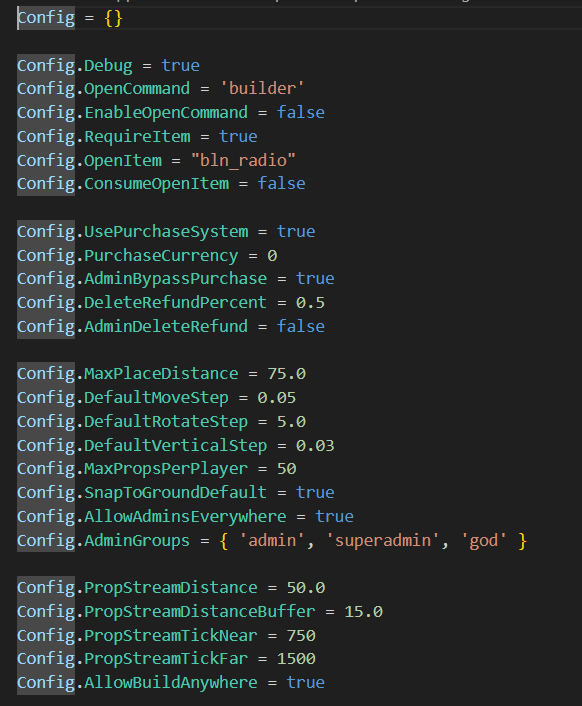
Code_QmDKQeyLF2582×706 16.2 KB
Easily customize:
- prop categories
- prop models
- prop prices
- placement controls
- builder permissions
- streaming distance
- UI settings
Placement Controls
Key
Action
WASD / Mouse
Free camera movement
Arrow Keys
Move prop
Shift + Arrows
Height / rotation
Ctrl + Arrows
Fine rotation
Enter
Confirm placement
Delete
Delete prop
Backspace
Cancel build mode
 Database Support
Props are saved in a MySQL database table and automatically load when the resource starts.
Included SQL file for easy installation.
Dependencies
Required:
- VORP Core
- vorp_inventory
- oxmysql
- ox_lib
Installation
- Place the resource in your server’s
resourcesfolder. - Import the included SQL file.
- Add the resource to your
server.cfg:
ensure projectls_builder
- Configure props and settings inside:
config.lua
- Restart your server.
Compatibility
Tested with:
- RedM
- VORP Framework
- oxmysql
- ox_lib
 Perfect For
- RP town building
- camp creation
- event setups
- custom environments
- admin map editing
- player housing decoration
- roleplay scene building
 Support
 is provided for installation and configuration issues.
 Why Choose ProjectLS Builder?
Unlike basic prop scripts, ProjectLS Builder provides a complete in-game construction system with:
- live preview placement
- editing tools
- prop persistence
- performance streaming
- configurable categories
- purchase system
Build your world live while your server is running.
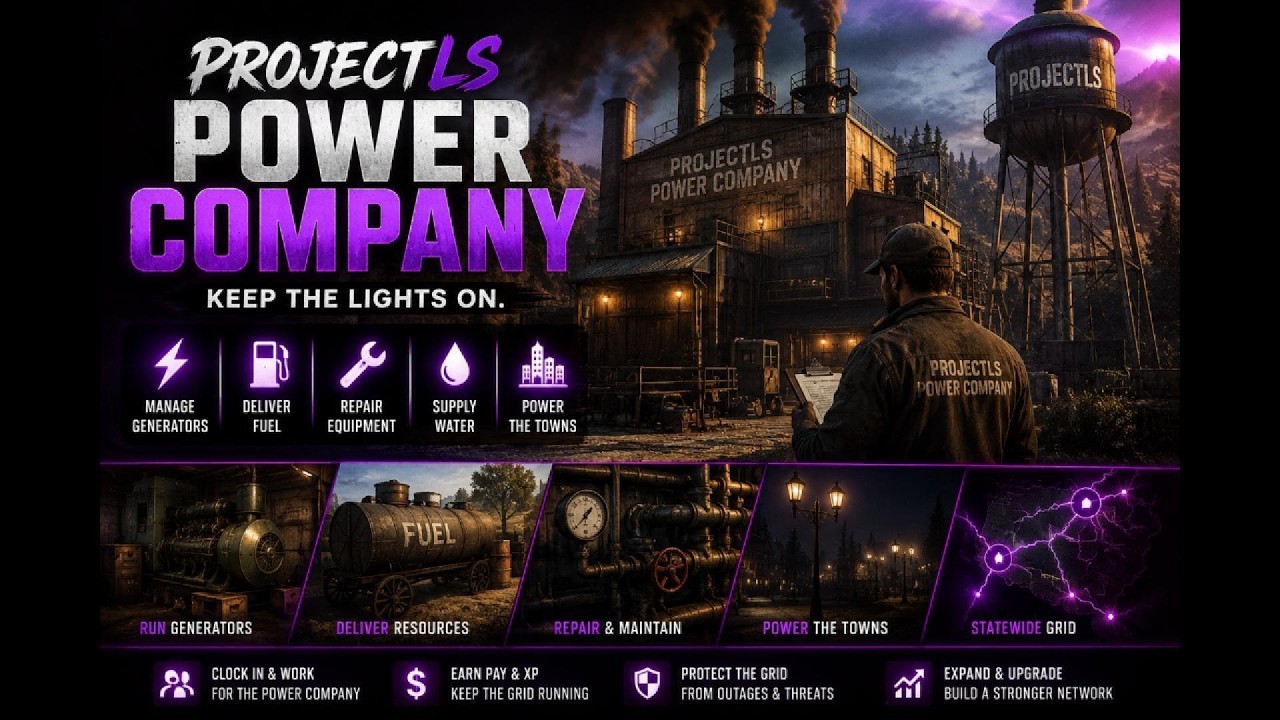
ProjectLS Power Grid
Keep the lights on across the frontier with ProjectLS Power Grid—a fully immersive electrical maintenance and power management profession for RedM.
Players become skilled power engineers responsible for maintaining substations, repairing damaged power lines, starting generators, responding to outages, and ensuring electricity continues to flow throughout the region.
Designed for serious roleplay and economy-focused servers, ProjectLS Power Grid delivers a unique profession unlike anything else available for RedM.
Features
Complete Power Grid Profession
Step into the role of a power company employee.
- Clock in and out of work
- Accept maintenance assignments
- Repair electrical faults
- Restore power outages
- Start and stop generators
- Earn money and experience
- Progress through engineer ranks
Dynamic Repair Jobs
Power failures can occur anywhere across the map.
Complete immersive tasks including:
- Repair broken transformers
- Replace damaged electrical components
- Repair substations
- Restore damaged power lines
- Service generators
- Inspect electrical equipment
- Emergency maintenance callouts
Every repair helps keep the frontier powered.
Generator Management
Control power generation throughout your server.
- Start generators
- Shut generators down safely
- Generator maintenance
- Fuel management support
- Generator status monitoring
- Configurable generator locations
Perfect for towns, businesses, and remote settlements.
Clock In System
Employees must clock in before performing maintenance.
- Work shifts
- Duty tracking
- Automatic job permissions
- On-duty restrictions
- Clock out at any time
Ensures immersive roleplay for utility workers.
Interactive Repair Gameplay
Repairs require more than simply pressing a button.
Players complete realistic maintenance tasks using:
- Tool animations
- Repair progress
- Equipment inspections
- Multiple repair stages
- Interactive objectives
- Custom sounds
- Visual feedback
Every repair feels rewarding.
Builder & Engineer Progression
Advance through your career by completing jobs.
Unlock:
- Better contracts
- Higher salaries
- Faster repair speeds
- Advanced maintenance jobs
- Reputation bonuses
- Exclusive assignments
Reward long-term dedication to the profession.
Modern ProjectLS Interface
Includes a fully custom ProjectLS HUD.
Displays:
- Current assignment
- Active objective
- Engineer level
- XP progress
- Generator status
- Repair progress
- Duty status
- Current rewards
Built to match the premium ProjectLS interface.
Fully Configurable
Customize nearly every aspect.
Configure:
- Job locations
- Utility depots
- Repair sites
- Generator locations
- NPCs
- Rewards
- Experience
- Duty permissions
- Repair timers
- Animations
- Sounds
- Notifications
- Blips
- Progression
Framework Support
Designed for:
- VORP Core
- VORP Inventory
- oxmysql
- ox_target
- ox_lib
Easy installation with included SQL and configuration files.
Perfect For
- Serious Roleplay Servers
- Economy Servers
- Government Jobs
- Public Utility Companies
- Town Infrastructure
- Emergency Services
- Community Events
- Long-Term Career Progression
Why Choose ProjectLS Power Grid?
ProjectLS Power Grid transforms electrical maintenance into a fully featured profession with immersive repairs, realistic objectives, and rewarding progression.
✔ Dynamic Repair Missions
✔ Generator Management
✔ Clock In / Clock Out System
✔ Interactive Repair Gameplay
✔ Engineer Progression
✔ Modern ProjectLS HUD
✔ Configurable Repair Locations
✔ Highly Optimized
✔ Easy Installation
✔ Regular Updates
Included Features
- Repair damaged infrastructure
- Generator controls
- Duty system
- Experience & leveling
- Money rewards
- Interactive repair animations
- Configurable objectives
- Immersive notifications
- Custom ProjectLS interface
- Multiplayer friendly
Take the call.
Restore the power.
Keep the frontier running.
Become the backbone of the region's electrical network.
Only with ProjectLS Power Grid.
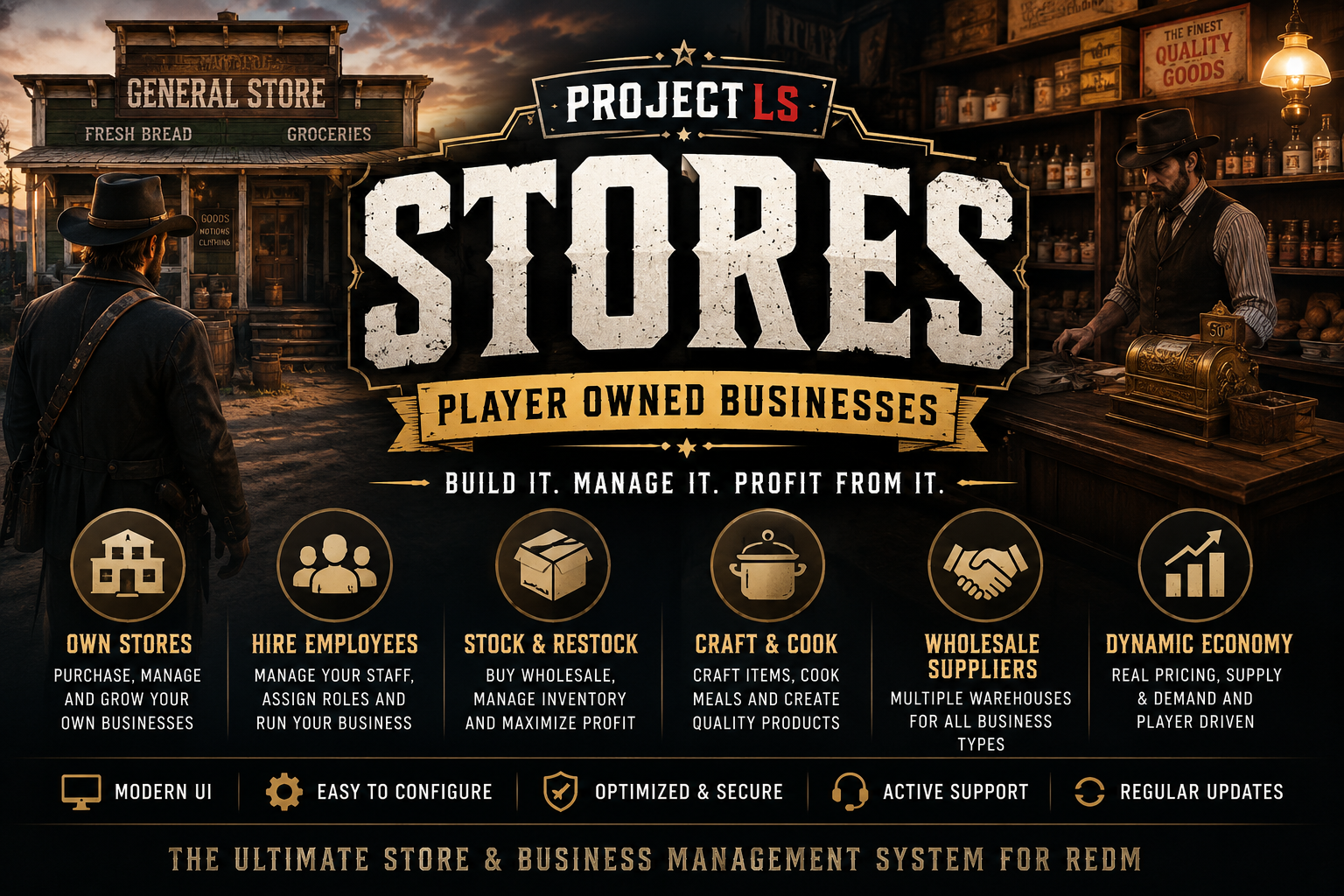
🏪 ProjectLS Stores With Crafting And Decay System
Transform Every Store Into a Living Business
Bring your RedM economy to life with ProjectLS Stores, a complete player-owned business system built for immersive roleplay. Players can purchase stores, hire employees, manage stock, craft products, restock through wholesalers, and grow their businesses into thriving enterprises.
Designed for VORP and built with performance and realism in mind, ProjectLS Stores turns simple NPC shops into a fully interactive economy.
⭐ Features
🏪 Player-Owned Businesses
- Purchase stores across the map
- Manage your own business
- Deposit and withdraw business funds
- View business statistics
- Transfer ownership
- Sell your business back
👥 Employee Management
- Hire and fire employees
- Promote and demote staff
- Employee permissions
- Clock in / Clock out system
- Business access restrictions
- Private staff-only features
📦 Dynamic Stock System
- Real stock levels
- Manual restocking
- Player-driven economy
- Business inventory management
- County buyback support
- Adjustable pricing
🚚 Wholesale Suppliers
Purchase stock at discounted wholesale prices.
Includes dedicated warehouses for:
- General Stores
- Saloons
- Butchers
- Gun Stores
- Fishing Stores
- Trappers
- Custom businesses
🍳 Advanced Crafting System
- Employee-only crafting stations
- Unlimited configurable recipes
- Multi-stage cooking
- Ingredient requirements
- Crafting progression
- Experience & level system
- Quality-based crafting
⭐ Food Quality System
Crafted food quality depends on:
- Fresh ingredients
- Proper seasoning
- Cooking technique
- Clean utensils
- Ingredient preparation
- Recipe accuracy
Produce high-quality meals—or poorly prepared food that reflects the chef's skill.
🍺 Business Types Included
- General Stores
- Saloons
- Gun Stores
- Butchers
- Fishing Stores
- Trappers
- Ingredient Suppliers
- Easily expandable for custom businesses
💰 Business Economy
- Dynamic pricing
- Restocking costs
- Employee wages
- Business accounts
- Wholesale purchasing
- County buyback
- Configurable profit margins
🎨 Modern ProjectLS UI
- Beautiful custom interface
- Mouse navigation
- Keyboard shortcuts
- Responsive layouts
- Fast performance
- Clean animations
⚙️ Highly Configurable
Almost every aspect can be configured including:
- Store locations
- NPCs
- Blips
- Prices
- Categories
- Recipes
- Crafting stations
- Employees
- Warehouses
- Business rules
- Opening hours
- Permissions
- Stock amounts
- Notifications
🔧 Framework
✔ VORP Core
💎 Perfect For
- Serious Roleplay Servers
- Economy Servers
- Survival Servers
- Frontier Roleplay
- Community Towns
- Business Roleplay
📈 Why Choose ProjectLS Stores?
Unlike basic shop scripts, ProjectLS Stores creates an evolving economy where businesses are owned, stocked, managed and expanded by real players.
Every purchase, every crafted meal, every wholesale delivery and every employee contributes to a living world.
Whether you're running a small general store, a thriving saloon, or a bustling butcher shop, every business becomes part of your server's economy.
✅ Included
- Full Source Code
- Free Updates
- Optimized Performance
- Easy Configuration
- Detailed Config Files
- ProjectLS Support
Bring your RedM economy to life with ProjectLS Stores — the complete business management experience.
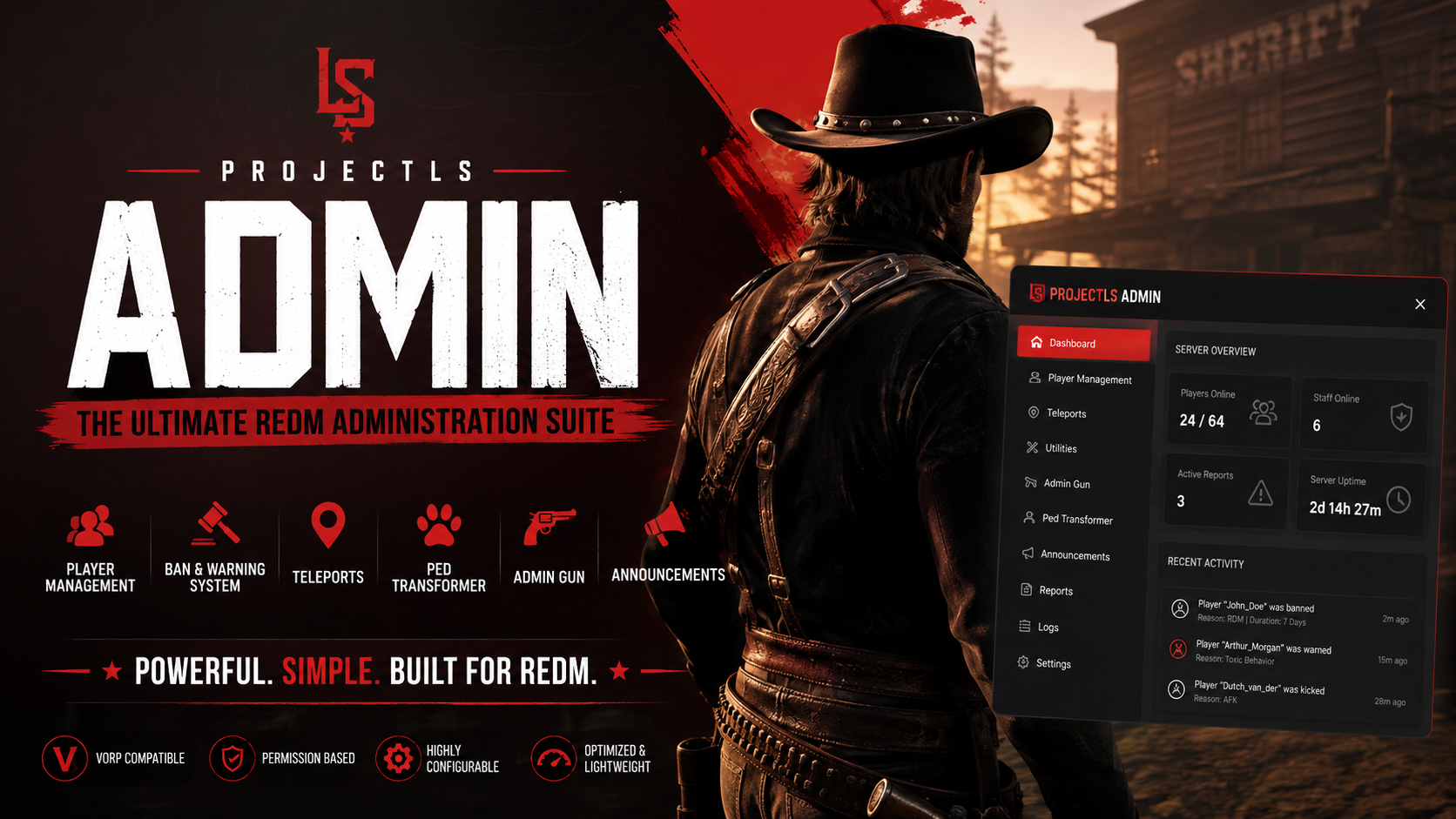
ProjectLS Admin | The Ultimate RedM Administration Suite
Take complete control of your RedM server with ProjectLS Admin—a modern, feature-rich administration system built specifically for serious server owners and staff teams. Designed with speed, ease of use, and performance in mind, ProjectLS Admin provides everything your staff need from one clean interface. (No Need For Discord Admin With Everything Built Into This feature!)
✨ Features
👮 Complete Staff Dashboard
- Modern, responsive administration UI
- Permission-based access
- Easy-to-use staff controls
- Fast player management
👥 Player Management
- Kick players
- Ban players
- Permanent & configurable ban options
- Warning system
- Staff reports
- Staff chat
- Ban history storage
- Warning history storage
🌎 Teleport System
Quickly teleport anywhere using built-in presets including:
- Valentine
- Blackwater
- Saint Denis
- Rhodes
- Strawberry
- Armadillo
- Guarma
🐎 Staff Utilities
- Spawn horses
- Spawn wagons
- External command integration
- Configurable admin commands
- Custom permission support
🔫 Admin Gun
A unique moderation tool allowing administrators to:
- Select ban reason
- Choose ban duration
- Ban the next player hit
- Optional weapon requirement
- Automatic disarm after use
🦅 Ped Transformer
Instantly transform into:
- Wolves
- Bears
- Cougars
- Alligators
- Deer
- Dogs
- Eagles
- Horses
- Lawmen
- Outlaws
- Townsfolk
- Ranchers
Perfect for:
- Staff events
- Roleplay
- Server showcases
- Community fun
📢 Announcement Integration
Supports ProjectLS Announcements allowing administrators to broadcast messages directly through the ProjectLS HUD.
⚙ Highly Configurable
- Permission whitelist
- License identifier support
- VORP group support
- External command hooks
- Custom teleport locations
- Configurable admin access
- Easy configuration
Why Choose ProjectLS Admin?
✔ Lightweight & optimized
✔ Built specifically for RedM
✔ Clean modern interface
✔ Easy installation
✔ Perfect for both small and large communities
✔ Designed with server performance in mind
✔ Regular ProjectLS quality
Framework
- RedM
- VORP Compatible
- Easy to integrate with existing ProjectLS resources
Included
- Complete Admin Dashboard
- Ban System
- Warning System
- Report System
- Staff Chat
- Teleport Menu
- Admin Gun
- Ped Transformer
- Configuration Files
- Installation Ready
Take control of your server with ProjectLS Admin—the complete administration solution built for RedM.
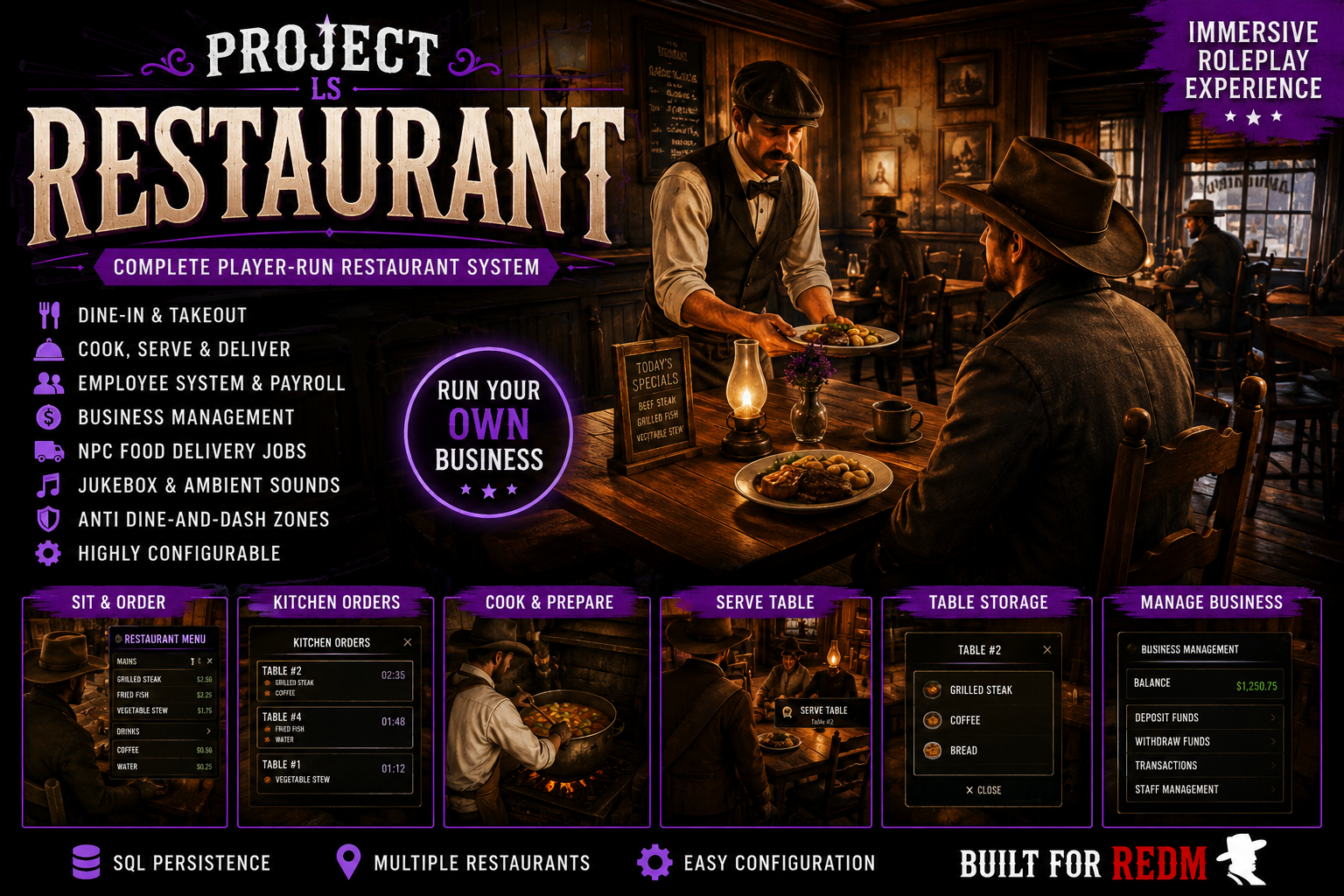
🍽️ *UPDATED* - ProjectLS Restaurant — Immersive RedM Restaurant System
Complete Immersive Restaurant & Business System for RedM
Turn restaurants and saloons into fully functioning player-run businesses with staff management, interactive cooking, dine-in service, takeout, NPC deliveries, events, business finances, wages, storage, fuel management, and much more.
ProjectLS Restaurant is designed around actual roleplay. Customers sit down and order, kitchen staff prepare meals, cooks physically move pots between preparation and the stove, waiters serve tables, managers control employees and finances, and restaurants can take on NPC deliveries and catering-style event orders.
🔥 Interactive Cooking System
Cooking isn't just clicking a recipe and waiting for a progress bar.
Staff physically prepare the order, carry the cooking pot to the stove, heat the stove, cook the food, remove the pot, and store the finished meal.
Cooking is completely timing based:
🔵 Under 10 Seconds — Undercooked
🟠 10–20 Seconds — Perfectly Cooked
🔴 20–30 Seconds — Food Burning
💀 30+ Seconds — Spoiled
There is no automatic cooking completion. The cook decides when the food comes off the stove.
Remove an undercooked meal too early? Put it back on the stove and continue cooking it.
Cook it perfectly? Take it to the kitchen and store the finished food.
Leave it too long? Pick up the spoiled pot and physically take it to the restaurant trash area.
🥘 Prepare While Another Meal Cooks
Busy restaurants shouldn't be limited to preparing one meal at a time.
While one dish is cooking, staff can prepare the next order and place it into the restaurant's Prepared Pot Storage.
When the stove becomes available:
Prepare → Store Prepared Pot → Pick Up → Place on Stove → Cook → Remove → Store Food
This creates an actual kitchen workflow instead of repetitive menu clicking.
🔥 Interactive Stove System
The stove is its own gameplay system.
Staff must:
Add fuel → Turn Stove On → Wait for Stove to Heat → Cook
The stove includes:
- Interactive On/Off controls
- Heating state
- Ready state
- Fuel consumption
- Staff-only fuel HUD
- Live fuel bar while operating
- Fuel storage through the restaurant pantry
- Stove automatically consumes fuel while running
- Visible fire/smoke effects
- Physical cooking pot placement
- Restaurant-specific stove/pot positioning
- Automatic stove handling when kitchen activity finishes
No fuel means no cooking.
🍽️ Full Dine-In Restaurant Experience
Customers can walk into a restaurant and actually dine there.
Players sit at configured restaurant tables and the menu automatically opens while seated.
There is no unnecessary table-menu target clutter.
Once an order is submitted:
Customer Orders → Kitchen Receives Order → Cook Prepares Meal → Waiter Serves Table → Customer Receives Food
When the waiter serves the completed order, the table inventory automatically opens for the customer who ordered — provided they're still seated at their table.
Customers can collect everything before manually closing the table.
🥡 Takeout Orders
Not every customer needs a table.
Players can place takeout orders, which appear directly within the restaurant's live kitchen order system.
Kitchen staff can distinguish dine-in, takeout, event and other order types directly through the restaurant interface.
📋 Live Kitchen Order Management
Staff receive a dedicated Kitchen Orders interface showing active restaurant orders and their current state.
Order states include:
NEW → PREPARING → COOKING → READY
Kitchen staff can manage the entire production process from preparation through completion.
Orders also include a dedicated × CANCEL control, allowing authorized staff to remove unwanted or mistaken orders from the active kitchen queue.
Cancellation cleans up the associated kitchen state instead of leaving abandoned cooking jobs behind.
🔔 Staff Order Notifications
Clocked-in restaurant employees can receive custom sounds when:
- 🔔 A new order is created
- 🍽️ An order becomes ready
Only appropriate clocked-in staff receive the restaurant alerts.
👨🍳 Employee Clock-In System
Restaurant features can be restricted to employees who are actually working.
Clocked-in staff gain access to employee systems including kitchen functionality, event systems, refrigerators and other staff-only interactions.
Clock out and those employee interactions are hidden again.
This allows restaurants to maintain a proper on-duty/off-duty workflow.
👑 Restaurant Management
Owners and authorized managers receive a dedicated management interface.
Manage:
- Employees
- Hiring
- Firing
- Staff roles
- Employee ranks
- Hourly wages
- Business finances
- Deposits
- Withdrawals
Nearby players can be hired directly into the business.
💰 Business Funds
Restaurant income doesn't simply disappear into a player's pocket.
Sales feed into the restaurant's Business Funds, creating an actual business economy.
Management can oversee company money, deposit additional funds, withdraw money and configure employee wages.
This makes running a successful restaurant financially meaningful.
💵 Employee Wages
Employees aren't just roleplaying a job — they can be paid for working.
Restaurant management can configure hourly wages, tying staffing into the restaurant's business economy.
Combined with clock-in tracking, businesses can operate much more like actual player-owned establishments.
🧺 Restaurant Storage
Multiple storage systems help separate different restaurant operations.
Including:
- Ingredient/Pantry Storage
- Prepared Pot Storage
- Cooked Food Storage
- Event Refrigerator
- Coal/Fuel Storage
- Table Food Storage
- Takeout/Pickup Storage
This creates a real kitchen supply chain rather than using one giant shared inventory.
🎉 Event Food System
Restaurants can accept and prepare larger event food orders separately from standard customer meals.
Event orders integrate into the kitchen workflow while dedicated event refrigeration keeps event inventory separated from normal restaurant stock.
Perfect for:
Weddings • Parties • Town Events • Government Events • Gang Events • Community Gatherings
🐎 NPC Delivery Missions
Restaurants can also generate NPC delivery jobs.
Staff prepare delivery orders before taking them to NPC customers located around the world.
Features include:
- NPC delivery customers
- Visible destination NPCs
- GPS/waypoint navigation
- Randomized delivery gameplay
- Dedicated delivery workflow
- Restaurant employee interaction
NPC delivery cooking uses virtual/invisible ingredients, meaning delivery missions don't drain the restaurant's actual player-meal ingredient inventory.
Normal player orders and event meals still consume real ingredients.
🪑 Interactive Restaurant Seating
Restaurant tables can contain individually configured seats using target interaction.
Targets are intentionally short-range so restaurants aren't covered with interaction markers from across the room.
Players need to actually approach the chair they want to use.
🎵 Restaurant Jukebox
Give every restaurant its own atmosphere with an integrated jukebox/gramophone system.
Players can play supported music links while controlling their own listening volume.
Audio originates from the configured restaurant jukebox location for a much more natural environment.
🧾 Receipts & Customer Payments
The restaurant system supports a proper ordering and payment workflow rather than instantly exchanging money through a menu.
Orders can generate restaurant receipts, tables remain associated with their active dining session, and payment completes the restaurant transaction.
Tips can also be incorporated into the customer service experience.
🗑️ Spoiled Food & Kitchen Cleanup
Burning food actually has consequences.
Once food passes its cooking limit, it becomes spoiled.
Instead of magically disappearing, the cook must:
Pick Up Spoiled Pot → Carry It → Take It to Trash → Dispose of Food
The system also includes cooking-prop cleanup protection to prevent abandoned cooking pots and loose props accumulating around the kitchen.
🏪 Multi-Restaurant Ready
The system is designed around configurable restaurant locations rather than one hard-coded business.
Each restaurant can have its own:
Company • Cashier • Kitchen • Stove • Cooking Pot • Pot Placement • Prepared Storage • Pantry • Pickup • Clock-In • Management • Jukebox • Trash • Tables • Seating
Restaurant-specific pot/stove offsets allow differently designed kitchens to position cooking equipment correctly.
⚙️ Built for Immersive RedM Roleplay
ProjectLS Restaurant combines:
Customer RP + Cooking RP + Waiter RP + Management RP + Business Economy + Delivery RP + Event Catering
into one interconnected resource.
Rather than standing at a marker and pressing a button to receive food, every part of the restaurant has a purpose.
⭐ Feature Highlights
- 🍽️ Dine-In Ordering
- 🥡 Takeout Orders
- 🪑 Interactive Seating
- 📖 Automatic Seated Menus
- 👨🍳 Physical Cooking Workflow
- 🥘 Carryable Cooking Pots
- ⏱️ Skill/Timing-Based Cooking
- 🔵 Undercooked Food
- 🟠 Perfectly Cooked Food
- 🔴 Burning Food
- 💀 Spoiled Food
- 🔥 Interactive Stove
- 🌡️ Stove Heating System
- ⛽ Stove Fuel System & HUD
- 🪨 Dedicated Fuel/Coal Storage
- 🔥 Fire & Smoke Effects
- 🥘 Prepared Pot Storage
- 🍲 Cooked Food Storage
- 🗑️ Physical Spoiled-Food Disposal
- 📋 Live Kitchen Orders
- ❌ Staff Order Cancellation
- 🔔 Staff-Only Order Sounds
- 🍽️ Waiter Table Service
- 📦 Table Order Storage
- 🎉 Event Catering Orders
- ❄️ Event Refrigerator
- 🐎 NPC Delivery Missions
- 🗺️ Delivery GPS/Waypoints
- 👤 Delivery NPCs
- ♾️ Virtual Ingredients for NPC Deliveries
- 🥕 Real Ingredients for Player/Event Meals
- 🧺 Pantry & Ingredient Storage
- ⏰ Employee Clock-In/Out
- 👥 Employee Management
- 👑 Owner/Manager Controls
- 💵 Configurable Hourly Wages
- 💰 Business Funds
- 💳 Deposits & Withdrawals
- 🎵 Restaurant Jukebox
- 🔊 Individual Music Volume
- 🧾 Restaurant Receipts
- 💵 Tips
- 🏪 Multi-Restaurant Support
- 🎯 Target-Based Interactions
- 💜 Custom ProjectLS UI
ProjectLS Restaurant
Don't just sell food. Run the restaurant.